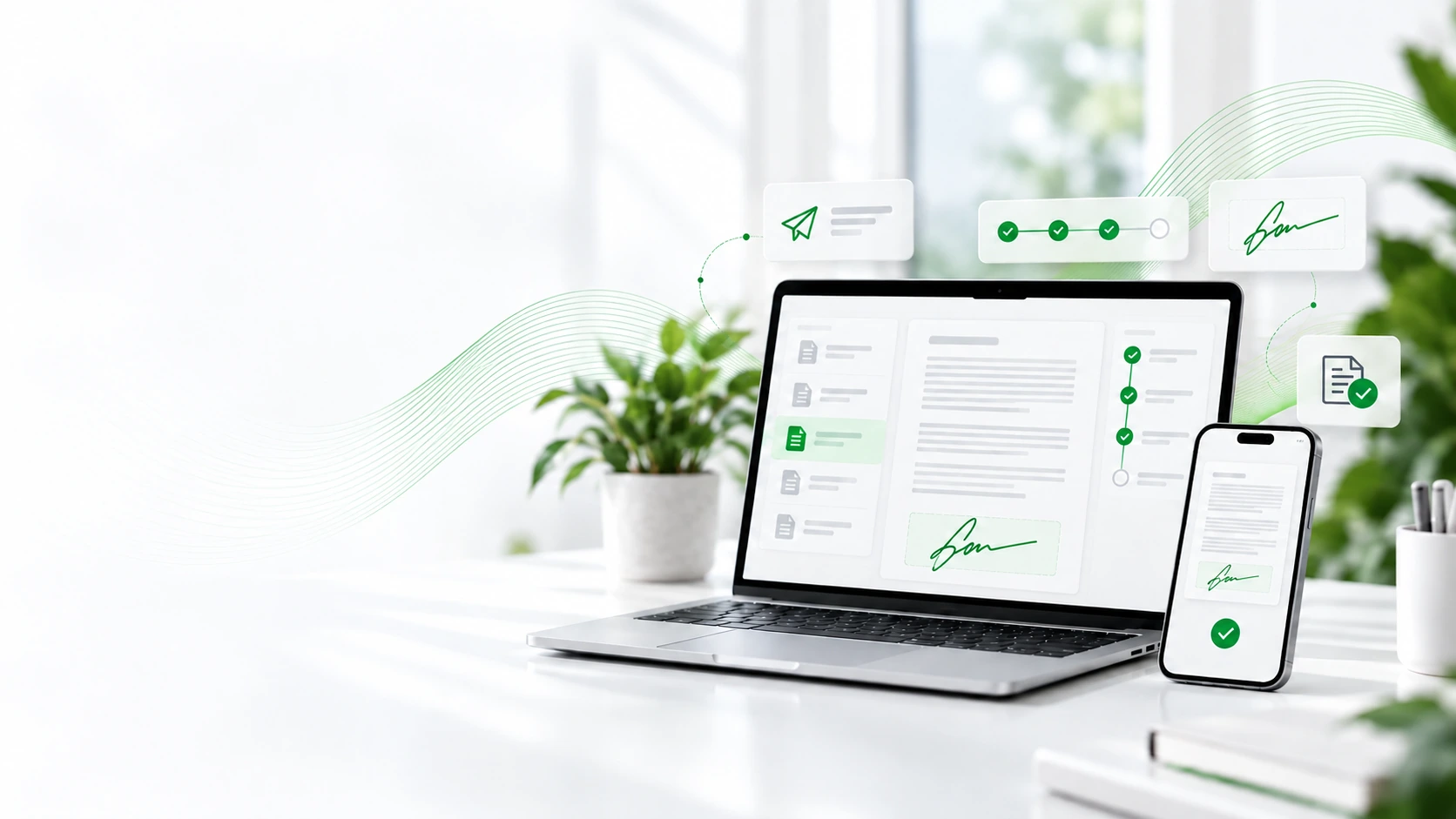
Sign documents in minutes. No printing, scanning or chasing signatures.
Digitise the signing of contracts, quotations, consent forms and other documents with eFirma GO. Send them, track the status of each process and manage everything from any device in a faster and more organised way.
The entire signing process, in one place.
eFirma GO is an electronic signature platform designed to digitise processes that still rely on paper, scanning or the constant exchange of documents by email.
You can send documents for other people to review or sign, monitor their status and keep all process information centralised.
Send
Upload the document and choose who needs to review or sign it.
Sign
The recipient opens the document and signs it electronically.
Track
Check the document status and follow the progress of the entire process.
Store
Keep the signed document and the evidence associated with the signing process.
From pending document to signed document.
A simple process that lets you send documents, manage signers and know exactly what is happening with each signature.
Upload the document
Select the PDF you want to send and configure the signing process to suit your needs.
Add the recipients
Choose who needs to sign, review or receive a copy of the document and define the order if required.
Send and sign
The recipient receives access to the document and can sign it electronically from any device.
Track and complete
Monitor the process, see when it has been completed and keep the signed document.
Automate part of the follow-up.
Choose the right signature for each document.
Not every process requires the same type of signature. eFirma GO lets you choose the signing method according to the document and the needs of each process.
One-click signature
SIMPLE AND FASTThe recipient can accept and sign the document quickly and easily, without a complex process.
Biometric signature
SIGNATURE TRACE AND EVIDENCEThe signer draws their signature directly on the device. When supported by the device, evidence associated with the signature trace can be collected.
Qualified signature
WITH DIGITAL CERTIFICATESign documents using a digital certificate when the process or organisation requires this type of signature.
One solution for many everyday processes.
eFirma GO can adapt to different departments and industries, helping reduce paper, email exchanges and manual tasks related to document signing.
Sales
Quotations, commercial proposals, contracts, orders and approvals.
Human resources
Employment contracts, payroll documents, internal documentation and other HR processes.
Clinics and healthcare
Informed consent forms, authorisations and patient documentation.
Education
Enrolments, authorisations, academic documentation and approvals.
Professional services
Engagement letters, mandates, contracts and client documentation.
Real estate
Reservations, contracts, authorisations and transaction documents.
Logistics
Confirmations, deliveries, approvals and operational documentation.
And many other processes.
If you currently send documents for someone to review, approve or sign, there is a good chance that eFirma GO can simplify the process.
More control over every document.
With eFirma GO, you can follow the progress of the signing process and access information about what has happened with each document.
This helps reduce the uncertainty of manual processes and gives you a clearer view of the status of each submission.
Document status
See the current status of each submission and quickly identify documents that are still pending.
Process evidence
The platform keeps information associated with the signing process and the actions carried out.
Signing certificate
Once the process is completed, documentation is generated to record the signing journey.
Time records and traceability
The process includes time-recording and traceability mechanisms to provide greater control over each signature.
Connect electronic signing with the tools you already use.
eFirma GO can become part of your digital environment, making it easier to access documents and enabling integrations with other applications and business processes.
Access your Microsoft documents.
Work with documents from your Microsoft 365 environment and bring them into the signing process without constantly downloading and uploading files manually.
Integrate eFirma GO with other applications.
For more advanced processes, eFirma GO provides an API and documentation that can be used to assess electronic-signature integrations with other systems.
Cloud documents
Keep better control of the documents involved in your electronic-signature processes.
More connected workflows
Reduce manual steps by connecting electronic signing with the processes your business already uses.
Custom integration
We can assess specific requirements where the process needs development or automation.
Start trying it with no commitment.
Discover how eFirma GO can fit into your company's document processes with a free trial before deciding on the final solution.
We'll help you get started.
Tell us what type of documents you need to sign and we'll help you assess the best option.
Request informationCommon questions about eFirma GO.
Here are some of the most common questions before getting started with electronic signatures.
What is eFirma GO?
eFirma GO is an electronic signature platform that lets you send documents, manage signers, track the status of each process and keep signed documentation within a single environment.
Do I need to install an app to sign?
Not necessarily. Recipients can access the signing process through a browser using a computer, mobile phone or tablet.
What types of signature does eFirma GO support?
The platform supports different signing methods, including one-click signatures, biometric signatures and qualified signatures using a digital certificate, depending on the requirements of the process.
Can more than one person sign the same document?
Yes. You can configure processes with multiple signers, people who review the document before signing, or recipients who simply need to receive a copy.
Can I define a signing order?
Yes. When there are multiple recipients, you can define a sequence so the document moves from one person to the next in a specific order.
Can I see whether a document has been opened or signed?
Yes. eFirma GO lets you check process status and provides traceability for document sending, opening and signing.
Can reminders be sent to signers?
Yes. Reminders can be configured to help follow up on pending documents, and an expiry date can also be set for the signing process.
Can eFirma GO be used with Microsoft 365?
eFirma GO can work with documents from the Microsoft environment, including OneDrive and SharePoint. It also provides an API for assessing integrations with other applications and processes.
Is there a free trial?
Yes. eFirma GO offers a 15-day free trial with up to 20 documents, with no payment card required.
Can R-Systems help us get started?
Yes. We can review your company's document processes, help assess the most suitable configuration and study any integration or automation requirements.
Ready to digitise your document signing process?
Tell us how you currently manage contracts, quotations, consent forms or other documents and we'll help you assess how eFirma GO can fit into your company's processes.
We'll help you get started.
Tell us about your process and we'll review it with you before getting everything up and running.